Preview 1 of 2
Technical Writing Skills
Free AI skills that help you plan, write, edit, and review docs, from developer docs and API references to READMEs and release notes, checked against the code.
Technical Writing Skills is a free set of AI skills for anyone who writes documentation. Install them once in your editor, and your AI agent plans, drafts, edits, and reviews your docs the way an experienced technical writer would—following your style guide instead of its own habits, and checking the code instead of guessing.
The skills cover every kind of docs page: developer docs, API references, help-centre articles, internal docs and runbooks, READMEs, and release notes. Others look after the docs set as a whole: planning what pages it needs, keeping its terms consistent, and helping readers find it.
The right skill loads when your request matches it, so you don't have to remember any names. Every skill reads your style guide first, asks only what's still missing, and never invents a fact, figure, or default. A gap stays marked until you fill it.
Key Features
✅ 17 skills for docs — from planning a docs set to writing, editing, and translating each page
✅ 6 review commands — review a page before it goes live, audit a docs set, check the docs in a pull request, or find what makes a page sound machine-written
✅ Checked against the code — real settings, limits, and error messages come from the codebase, not from memory
✅ Your style guide, not the AI's — set it up once, and every skill writes to it
✅ No invented facts — anything unconfirmed stays flagged until you fill it in
✅ Reports before edits — commands list what they find and fix only what you choose
✅ Pay what you want — download it free, or chip in if it saves you time
What's Included
The right skill loads when your request matches it. To see the list inside your editor, ask your AI agent "which writing skills do you have?"
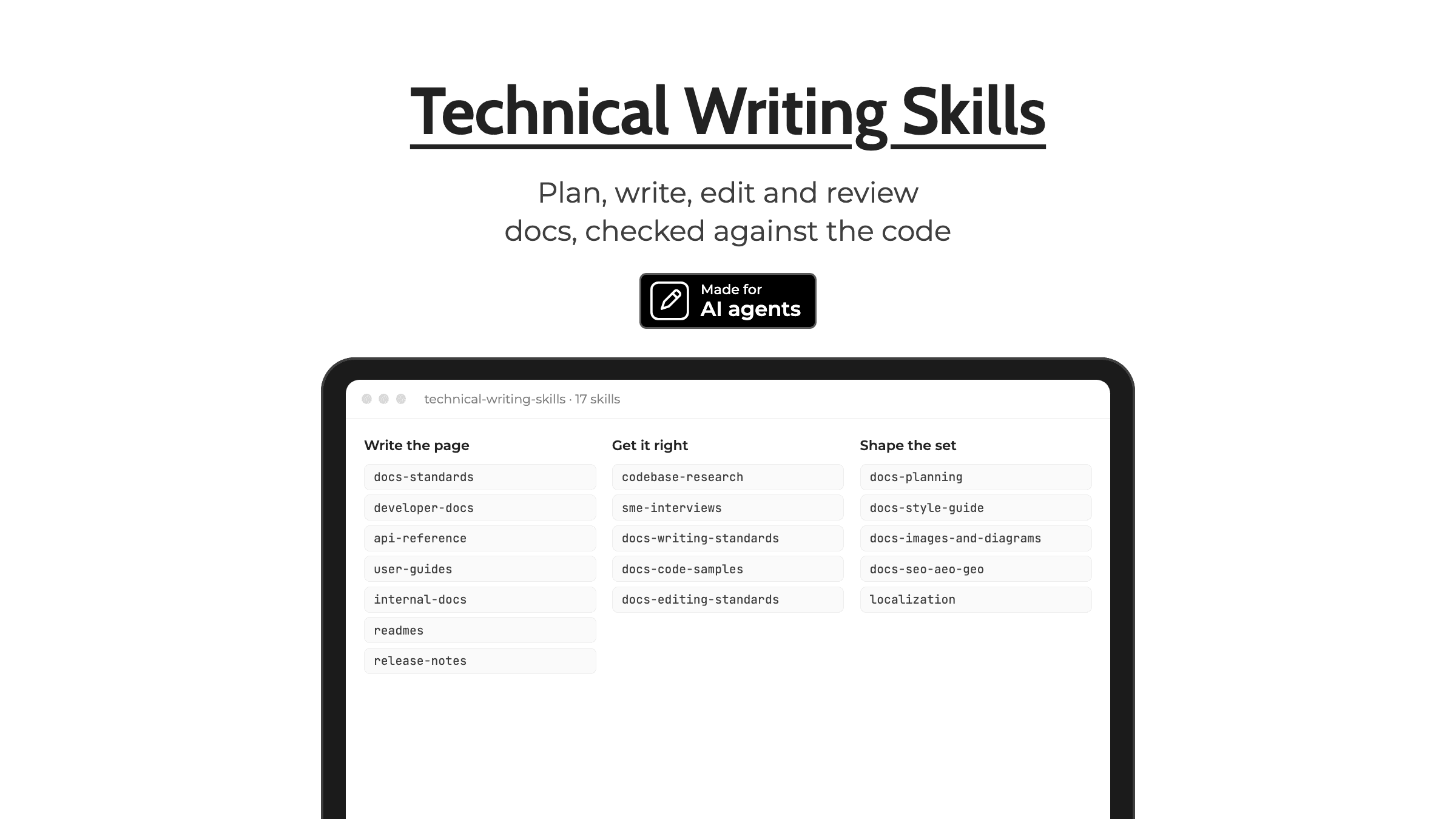
Skills — 17
- docs-standards — Write docs pages that each do one thing: teach, walk through a task, list facts, or explain
- docs-planning — Decide which docs pages you need, and find what's missing from the ones you have
- developer-docs — Write pages for a developer docs site, checked against the code
- api-reference — Document an API: its endpoints, errors, sign-in, and getting-started pages
- user-guides — Write help-centre articles for the people who use a product
- internal-docs — Write runbooks, team processes, onboarding guides, and decision records
- readmes — Write or update a project's README
- release-notes — Write release notes and changelogs that tell users what changed for them
- codebase-research — Find the exact settings, limits, and error messages in a product's code, so the docs are right
- sme-interviews — Prepare to interview an engineer, then turn their answers into checked facts for the docs
- docs-writing-standards — Check that a page is clear, plain, and backed by sources
- docs-code-samples — Add code to a docs page that readers can copy and run
- docs-editing-standards — Edit a docs page someone has already written
- docs-style-guide — Create a style guide and word list for a set of docs
- docs-images-and-diagrams — Add screenshots, diagrams, and image descriptions to docs
- docs-seo-aeo-geo — Help readers find your docs through Google and AI tools like ChatGPT
- localization — Write docs that translate well, and keep translated versions up to date
Review commands — 6
These run only when you ask for them by name. Each one reports what it finds first, and changes nothing you haven't picked.
- docs-review — Review a docs page before it goes live
- docs-ai-check — Find what makes a page sound machine-written, with a suggested rewrite for each
- docs-audit — Find outdated information, broken links, and missing pages across your docs
- content-audit — Decide which docs pages to keep, combine, rewrite, or delete
- style-check — Find words and formatting that differ from page to page across your docs
- docs-pr-review — Check the docs in a pull request against the code it changes
Who Is This For?
- Technical writers documenting APIs, developer tools, and products
- Developers who write their own READMEs, docs, and release notes
- Docs teams who want every page to follow one style guide
- Developer advocates writing guides and getting-started pages
Why You Need This
- Start from a plan instead of a blank page
- Keep the same terms and structure across every page
- Check your docs against the code they describe
- Catch outdated facts, broken links, and missing pages before your readers do
- Get a page reviewed before it goes live
- Help readers find your docs through Google and AI tools like ChatGPT
Product Specifications
- Access: Lifetime access to the skills and all future updates
- Updates: Free updates as new skills are added
- Support: Direct email assistance (response within 48 hours)
- Version: 1.0 (November 2026), with updates as they ship
- Compatibility: Works with Claude Code, Cursor, GitHub Copilot in VS Code, Codex, Gemini CLI, JetBrains Junie, and any other AI agent that supports Agent Skills
- Requirements: An IDE or AI agent that supports Agent Skills. No additional software needed.
- License: MIT — free to use for personal and commercial purposes
- Price: Pay what you want, from $0
- Includes: 17 skills and 6 review commands
- Setup: Install once per project or for every project. In the Claude app, also turn on Create and edit files
Refund Policy
These skills are pay what you want, so you choose the price, including $0. Please note that due to the digital nature of this product, any payment is final and no refunds will be issued.
If you experience any difficulties or have questions, feel free to reach out to me@timonwa.com.